
insperplot extends ggplot2 with the visual identity of Insper, a Brazilian non-profit institution for teaching and research. It provides a theme, color palettes and scales, and plotting functions for common chart types.
Installation
Install the latest release from the Insper Cidades r-universe, which ships pre-built binaries for Windows, macOS, and Linux.
install.packages(
  "insperplot",
  repos = c(
    "https://inspercidades.r-universe.dev",
    "https://cloud.r-project.org"
  )
)
Alternatively, install the development version directly from GitHub.
# install.packages("remotes")
remotes::install_github("inspercidades/insperplot")
Quick Start
insperplot is built on Insper’s brand colors.
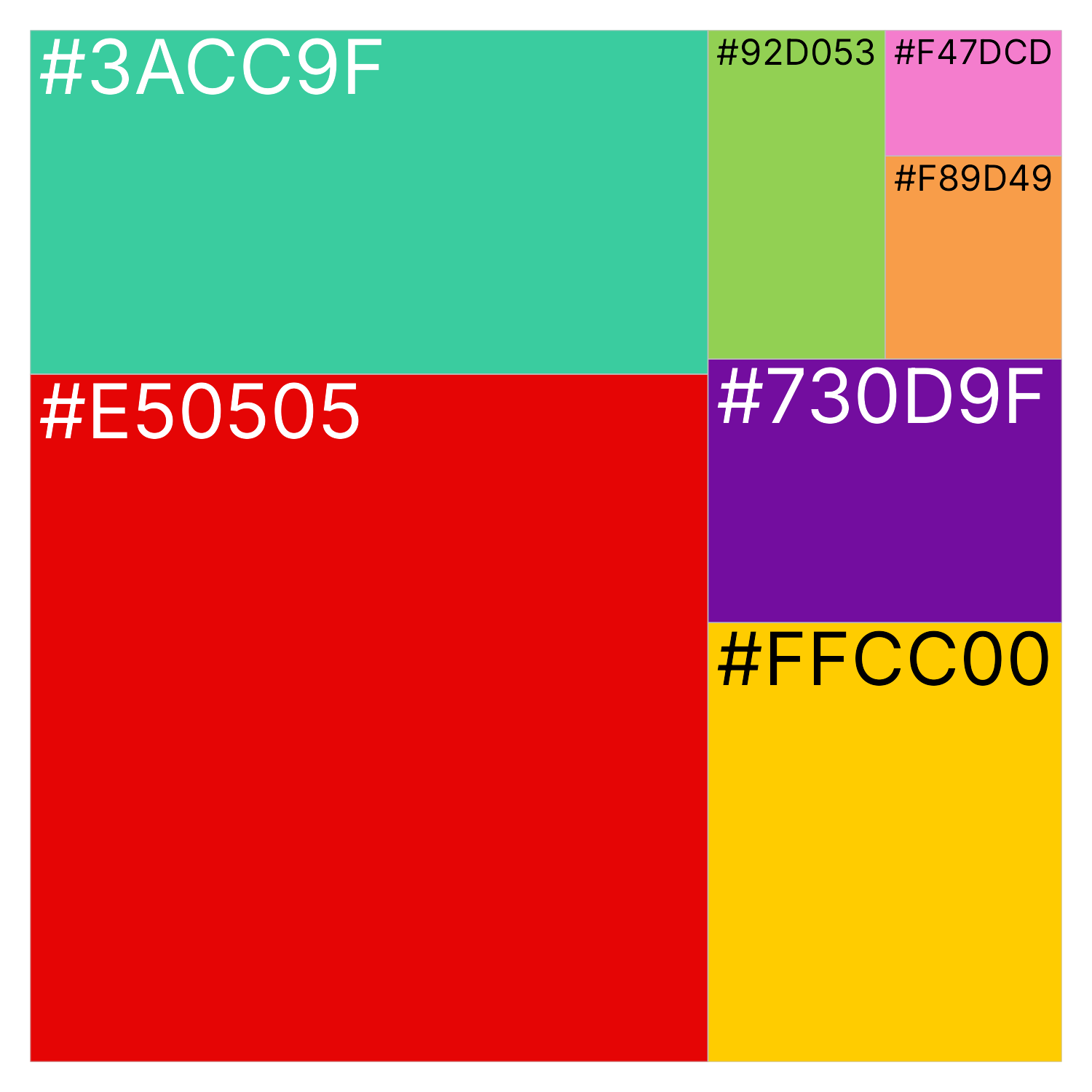
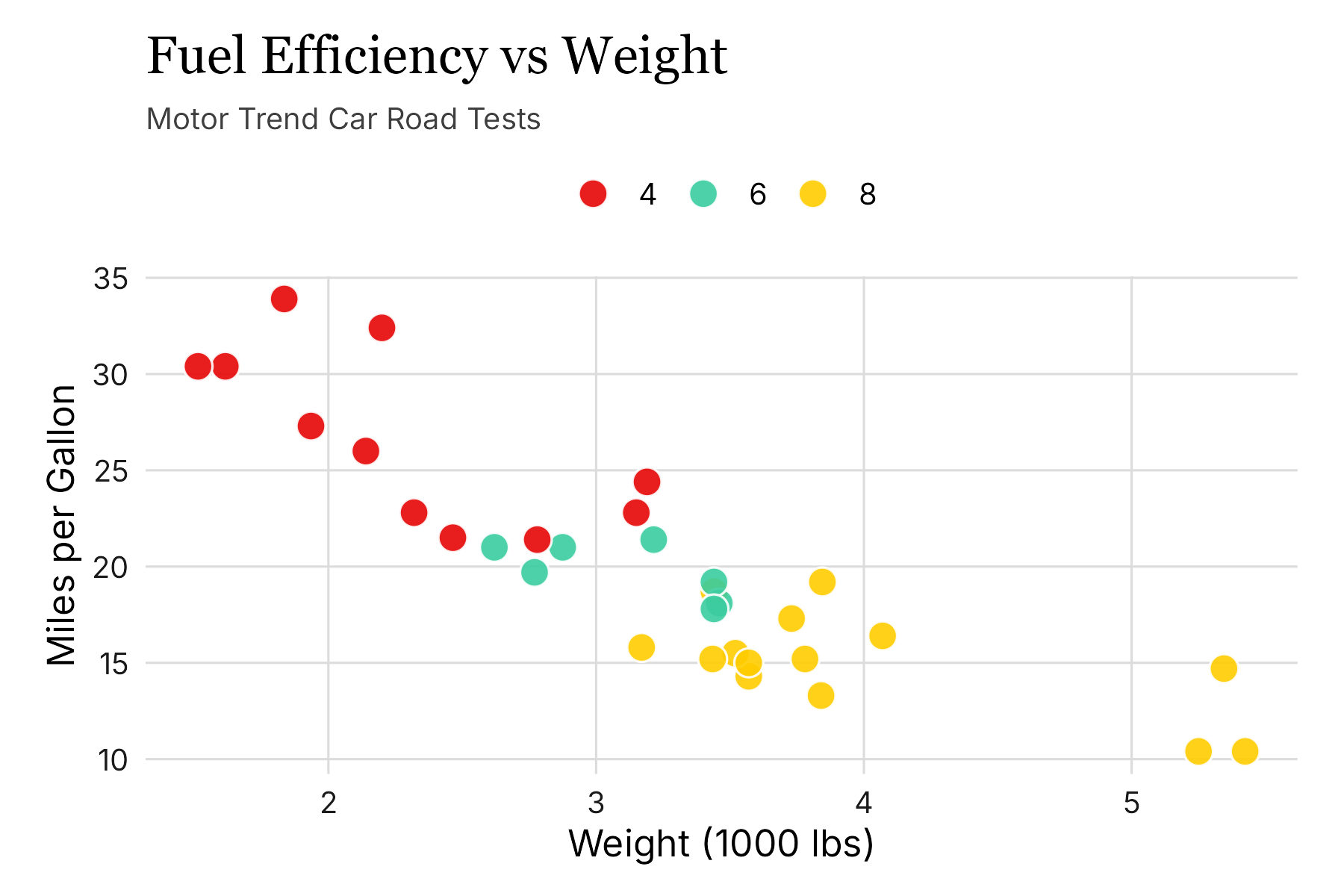
The core functions are theme_insper() and the scale_*_insper_*() scales, which you add to any ggplot2 plot.
library(insperplot)
library(ggplot2)
library(ragg)

# Create a basic plot with Insper theme
ggplot(mtcars, aes(x = wt, y = mpg, fill = factor(cyl))) +
  geom_point(color = "#ffffff", size = 4, shape = 21, alpha = 0.9) +
  scale_fill_insper_d(name = NULL) +
  theme_insper() +
  labs(
    title = "Fuel Efficiency vs Weight",
    subtitle = "Motor Trend Car Road Tests",
    x = "Weight (1000 lbs)",
    y = "Miles per Gallon"
  )
To see all palettes, use show_insper_palettes(). To see a particular palette, use insper_palette().
# View the core Insper brand colors (prints a color swatch)
insper_palette("main")
Fonts and Rendering
insperplot bundles the Inter font family (licensed under the SIL Open Font License), the only free font in Insper’s 2026 brand kit. The package registers it on load, so there is nothing to download or set up.
The default title font is Georgia, a serif font that ships with most operating systems. It stands in for Insper’s proprietary title font, GT Ultra. If Georgia is unavailable, the theme falls back to the system serif family.
For the best rendering quality, install the ragg graphics device.
install.packages("ragg")If you use RStudio, set the graphics backend to AGG: Tools > Global Options > General > Graphics > Backend > AGG. Positron uses ragg by default, so no change is needed there.
Documentation
For detailed documentation and examples, visit the package website.