
Overview
This page lists every official Insper brand color with its Pantone,
RGB, and hex values, grouped by hierarchy (Principais, Secundários,
Neutros, Cidades). The table is searchable and comes from the
insper_color_reference dataset shipped with the
package.
The four Cidades rows belong to the Insper Cidades sub-brand (Centro de Estudos das Cidades, Laboratório Arq.Futuro), which publishes its own application manual. That manual specifies CMYK only, so those rows have no Pantone reference.
To use these colors in plots, call insper_palette() or
the scale_*_insper_*() functions.
Text on colored backgrounds
The brand guide rules on which text (or logo) color may sit on each
base background: white only, black only, or both. The
acessibilidade column above condenses those rules, and the
swatch in the “Texto” column shows the permitted color in use.
Two sets of rows are blank, for different reasons. Tints and shades
(_1–_4) are not covered by the brand guide.
The Cidades colors are not covered either, because that manual has no
accessibility page at all. This column records what a brand guide
rules, not what the package computes. For computed contrast
guidance on the Cidades colors, see
vignette("brand-kit", package = "insperplot").
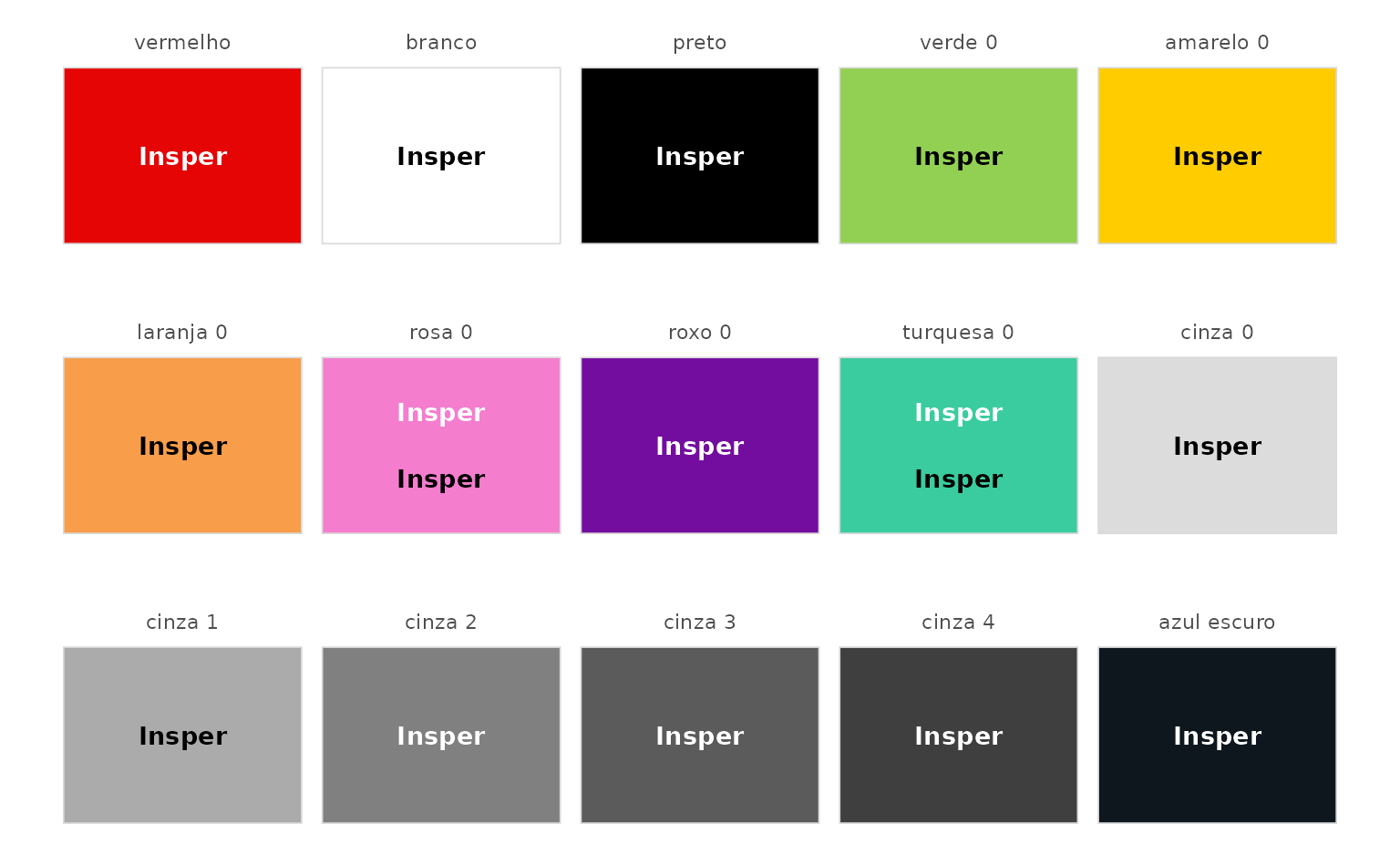
The package applies the same logic automatically. Plot functions that
draw labels on colored areas, such as insper_barplot() with
text = TRUE, pick white or dark text for each segment based
on the fill’s luminance.
Source
Values are transcribed from Insper’s 2026 brand guide and, for the
Cidades rows, from the Insper Cidades application manual (June 2026).
See ?insper_color_reference for column definitions. The
package’s GitHub repository also has a spreadsheet version of this
table, data-raw/insper_color_reference.xlsx, with
color-filled swatch cells for use outside R.